
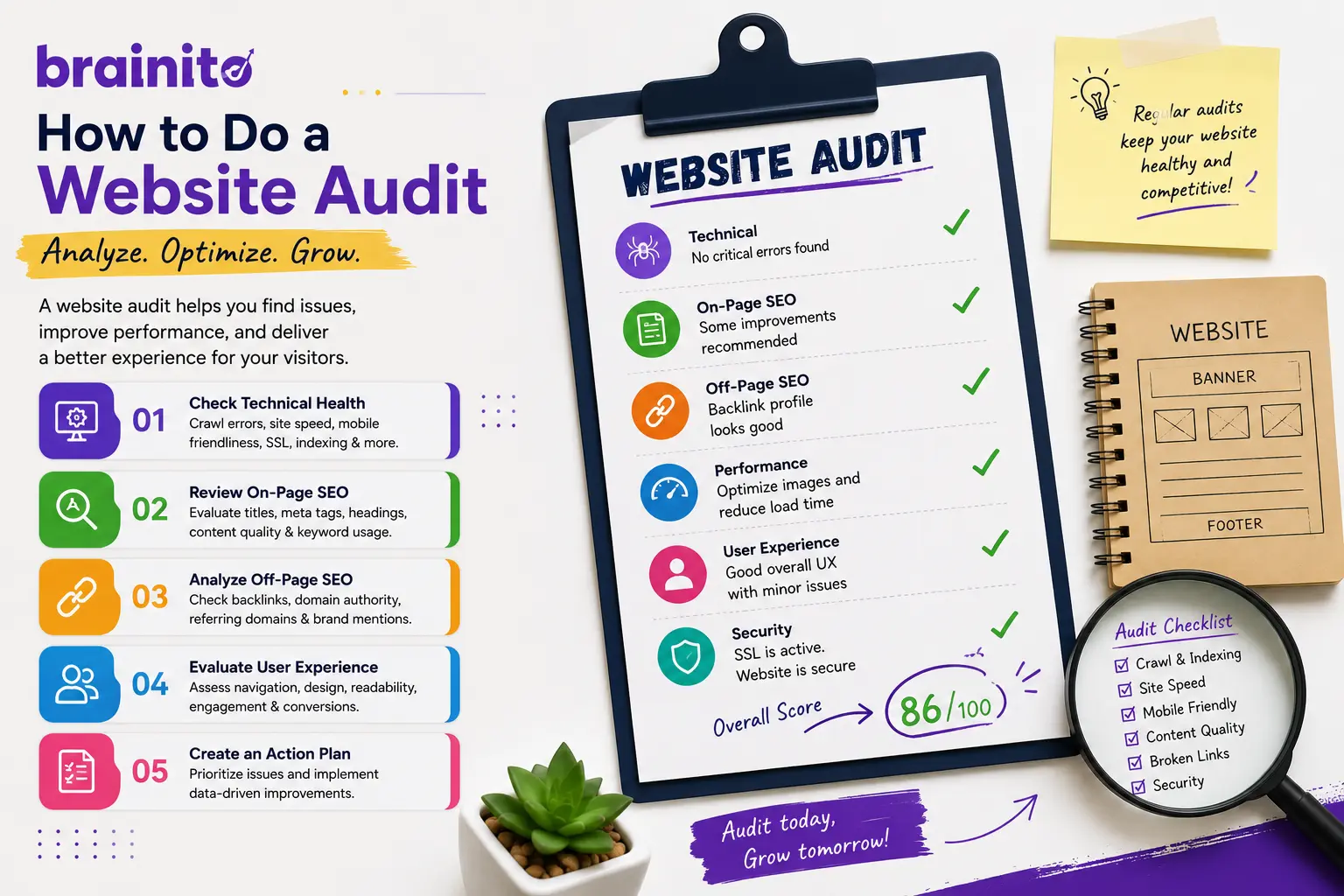
Learn how a detailed website audit uncovers SEO, speed, UX, and conversion issues, plus a clear 2026 checklist to turn findings into real growth.
What a Detailed Website Audit Actually Covers
A detailed website audit is a structured review of every factor that decides whether your site ranks, loads fast, and turns visitors into customers. It is not a quick scan that spits out a vanity score. It is a manual, evidence-backed inspection of your technical setup, content, design, and conversion paths, followed by a prioritized list of fixes you can actually act on.
The core pillars
Most serious audits look at the same foundational pillars: technical health, on-page SEO, content quality, site performance, mobile experience, security, and conversion tracking. Each pillar feeds the others. A blazing-fast page still fails if the call to action is buried, and perfect copy never gets read if the page takes six seconds to load.
If you want a fast baseline before you dig in manually, our free marketing audit scores your website across 77 factors and returns a prioritized action plan, so you know exactly where the biggest gaps are.
Why Website Audits Matter More Than Ever in 2026
Search has changed. AI-generated overviews, stricter Core Web Vitals thresholds, and a flood of mediocre content mean the bar for ranking is higher than it has ever been. A site that performed fine a few years ago can quietly slip down the results without a single visible error.
The cost of skipping the audit
When you do not audit, you guess. You spend on ads to plug traffic gaps that a single broken redirect created. You publish more blog posts when the real problem is a slow server or a confusing menu. A detailed audit replaces guesswork with a diagnosis, so every dollar and hour goes toward the fix that moves the needle.
The payoff is concrete: better optimization lifts rankings, improves visitor-to-lead conversion, and earns more shares. Once you know your weak points, building a focused DIY marketing plan around them becomes far easier.
Technical SEO and Site Performance Checks
Technical issues are the silent killers of organic traffic. Start with crawlability: can search engines reach and index your important pages? Check your robots file, XML sitemap, canonical tags, and for orphaned pages that nothing links to.
Speed and Core Web Vitals
Measure Largest Contentful Paint, Interaction to Next Paint, and Cumulative Layout Shift on both mobile and desktop. Oversized images, render-blocking scripts, and bloated third-party tags are the usual culprits. Compress images, defer non-critical JavaScript, and lean on browser caching.
Structure and links
Audit your internal linking, fix broken links, and confirm that redirects resolve in one hop rather than a chain. A clean backlink audit also matters here, because toxic or lost backlinks can drag down authority just as much as on-site problems.
On-Page SEO, Content, and Keyword Alignment
Once the technical foundation is solid, turn to the content layer. Every key page should target a clear primary keyword and a small cluster of supporting terms, reflected in the title tag, meta description, H1, and body copy without stuffing.
Find the gaps
Look for thin pages, duplicate content, and cannibalization where two pages compete for the same query. Map your existing pages to real search intent. Informational queries need guides; commercial queries need comparison and product pages. Our keyword research tool helps you confirm which terms still have demand and reasonable difficulty in 2026.
Refresh and expand
Update outdated statistics, add answers to common questions, and strengthen internal links between related posts. When you spot content gaps, a structured content brief keeps new articles focused on intent rather than word count.
User Experience, Mobile, and Conversion Tracking
Rankings get visitors to the door, but UX decides whether they stay and buy. Review your homepage clarity, navigation depth, and how quickly a first-time visitor understands what you offer and what to do next.
Mobile first, always
The majority of traffic is mobile, so test tap targets, font sizes, form length, and how the layout reflows on a small screen. A desktop site that looks fine can be a frustrating maze on a phone.
Track what matters
Confirm that analytics and conversion events actually fire. Broken or missing tracking means you are optimizing blind. Once the data is trustworthy, you can spot drop-off points in the funnel and fix the highest-impact ones first. If implementing these fixes outpaces your team, it may be time to hire a marketer who can own the roadmap.
Turning Audit Findings Into an Action Plan
An audit is only as good as what you do with it. The mistake teams make is treating a 40-page report as a to-do list and freezing under the weight of it. Instead, score each finding by impact and effort, then sequence the work.
A simple prioritization model
Tackle high-impact, low-effort fixes first: broken links, missing meta descriptions, oversized hero images, and obvious mobile issues. Schedule high-impact, high-effort items like a content overhaul or a navigation redesign as projects with owners and deadlines. Park low-impact items unless they are quick.
Make it repeatable
Treat auditing as a habit, not a one-off. Re-run a focused check each quarter and after any major site change. The fastest way to start is to run our free marketing audit, review the prioritized action plan, and map the top three fixes onto your content calendar so the work actually ships.
Frequently Asked Questions
How long does a detailed website audit take?
A focused manual audit of a small to mid-size site typically takes one to three days, depending on page count and the depth of analysis. Automated baseline checks, like our free marketing audit, return a prioritized report in minutes, which is a great way to start before a deeper manual pass.
How often should I audit my website?
Run a full audit at least once or twice a year, plus a lighter check every quarter and after any redesign, migration, or major content push. Search standards and your own content shift constantly, so periodic reviews keep small issues from compounding into ranking losses.
Can I do a website audit myself?
Yes. With the right checklist and tools you can cover the essentials of technical, on-page, and UX review on your own. If you want a structured starting point, pair a DIY marketing plan with the prioritized findings from a free audit, then decide which fixes to handle in-house and which to outsource.