
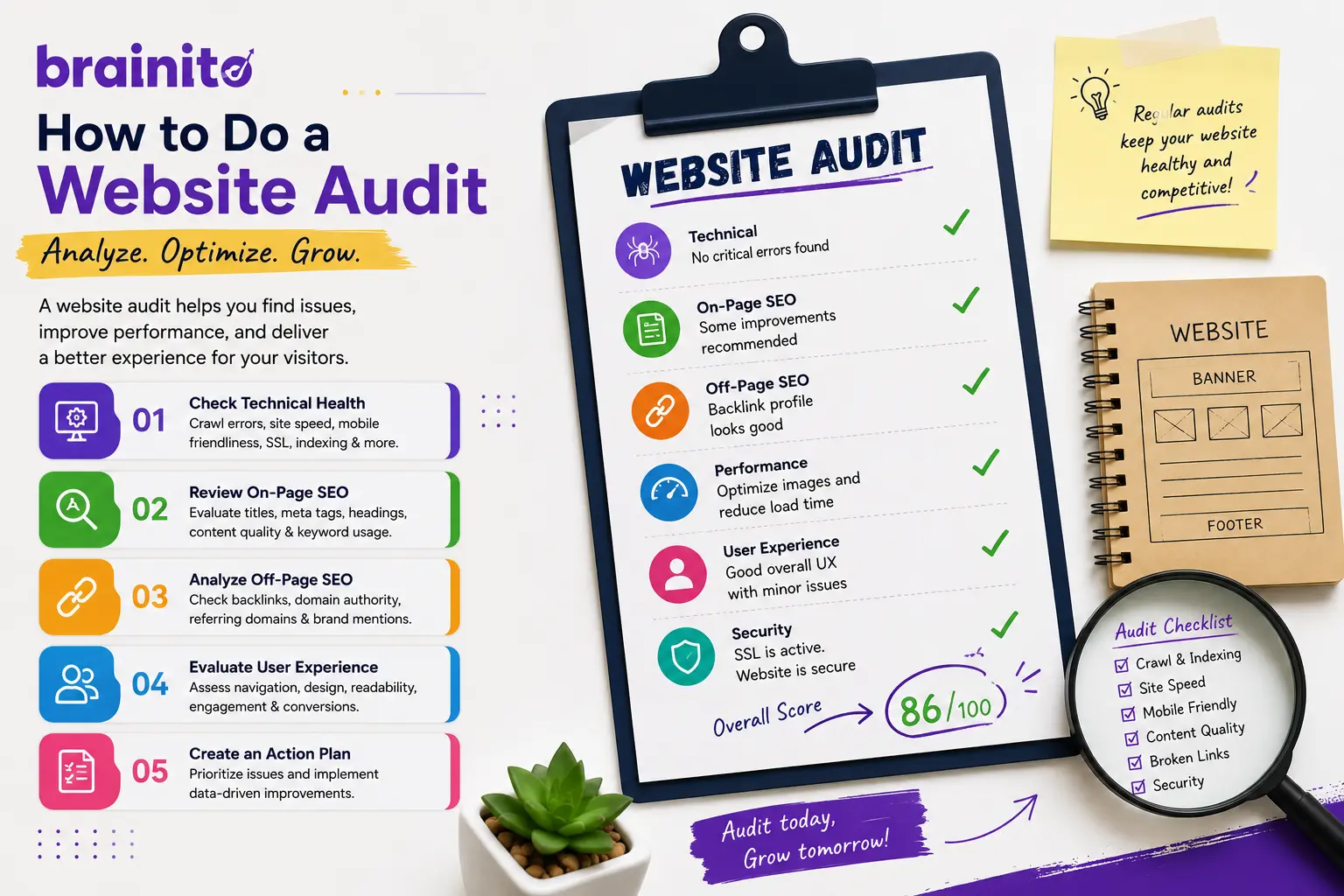
Learn how to do a website audit in 2026 covering SEO, Core Web Vitals, on-page, technical, content, conversions, and AI visibility, plus the fastest way to do it all.
What a Website Audit Actually Covers in 2026
A website audit is a structured health check of your site that measures how well it ranks, loads, converts, and gets discovered. The old version of this exercise was mostly about meta tags and broken links. In 2026 the scope is much wider because search itself has changed. You are no longer optimizing for one Google results page. You are optimizing for organic rankings, fast Core Web Vitals, clean technical foundations, helpful content, smooth conversions, and visibility inside AI answers from tools like ChatGPT, Perplexity, and Google's AI Overviews.
That is a lot of moving parts, which is exactly why most teams either skip the audit or do a shallow version of it. The good news is you can run the whole thing automatically. Brainito's free website audit scores your site across 77 factors and hands back a prioritized action plan, so you can see every gap in minutes instead of spending a weekend with a dozen browser tabs open.
Why audit regularly
Websites decay quietly. Pages slow down as you add scripts, content goes stale, redirects pile up, and competitors publish fresher material. A quarterly audit catches that drift before it costs you traffic and revenue. If you have never run one, start now and use it as your baseline.
Step 1: Run a Technical and SEO Foundation Check
Technical SEO is the layer that decides whether search engines can even reach and understand your pages. If this is broken, nothing else you do will rank, so it goes first.
Crawlability and indexing
Confirm that your robots.txt is not accidentally blocking important pages and that your XML sitemap exists and is submitted in Google Search Console. Check the index coverage report for pages that should rank but are excluded. Make sure every page is served over HTTPS with a valid SSL certificate.
Site structure and links
Look for broken internal links, orphaned pages with no inbound links, and redirect chains that waste crawl budget. Your information architecture should be shallow, meaning any page is reachable within a few clicks from the homepage. While you are reviewing links, your off-site profile matters too. A quick pass with a backlink audit tool tells you whether toxic or low-quality links are dragging down authority.
Doing this manually means juggling several crawlers. A free website audit from Brainito surfaces these technical issues in one report and tells you which ones to fix first.
Step 2: Measure Performance and Core Web Vitals
Speed is both a ranking signal and a conversion lever. Google's Core Web Vitals are the metrics that matter most here, and the targets for 2026 are clear.
- Largest Contentful Paint (LCP): under 2.5 seconds. This measures how fast your main content appears.
- Interaction to Next Paint (INP): under 200 milliseconds. INP replaced First Input Delay and measures responsiveness to clicks and taps.
- Cumulative Layout Shift (CLS): under 0.1. This tracks how much your layout jumps around while loading.
Common culprits behind poor scores are oversized images, render-blocking scripts, and bloated third-party tags. Compress and lazy-load images, defer non-critical JavaScript, and trim plugins you do not use. Since more than half of all traffic is mobile, test performance on a mid-range phone, not just your fast desktop connection.
Step 3: Audit On-Page SEO and Content Quality
Once the foundation is solid, focus on the pages themselves. On-page SEO is about matching real search intent with genuinely useful content.
On-page elements
Every page needs a unique title tag (roughly 50 to 60 characters), a compelling meta description, a single clear H1, and a logical heading hierarchy. Confirm that target keywords appear naturally in titles, headings, and the first paragraph without stuffing. Add descriptive alt text to images and use structured data where it fits.
Content depth and freshness
Thin pages that exist only to chase a keyword no longer perform. Review your top pages and ask whether they actually answer the question better than what currently ranks. Identify outdated stats, broken examples, and gaps your competitors cover. To plan stronger pages, a content brief generator maps out the structure and subtopics, and a keyword research tool shows the terms worth targeting. When you need to produce at volume, a blog content generator speeds up the drafting.
Step 4: Check AI Visibility and Conversions
This is the part most audit checklists from a few years ago completely missed, and it is now make or break.
AI visibility
A growing share of buyers ask ChatGPT, Perplexity, Gemini, or Google's AI Overviews instead of scrolling a results page. To show up in those answers, your content needs to be clearly structured, factually accurate, and easy for language models to parse. Use plain question-and-answer formatting, define terms explicitly, and back claims with specifics. Audit whether your brand even appears when you ask these tools about your category. If it does not, that is a visibility gap worth closing now.
Conversion review
Traffic is worthless if it does not convert. Walk through your key journeys as a first-time visitor would. Is the call to action obvious above the fold? Are forms short? Does the page load fast on mobile? Look at where visitors drop off in your analytics and test one change at a time. If you have a local presence, also run a GMB audit to make sure your Google Business Profile is complete and converting nearby searchers.
Turning Your Audit Into an Action Plan
An audit only pays off when it becomes a prioritized to-do list. Sort every finding by impact and effort. Quick high-impact fixes such as compressing hero images, fixing broken links, or rewriting weak title tags go first. Larger projects such as a content refresh program or a site speed overhaul get scheduled over the following weeks.
If pulling all of this together by hand feels like a lot, it is. That is why Brainito built the free website audit to score your site across 77 factors and return a ranked action plan automatically. From there you can keep momentum a few ways: follow the DIY marketing plan to execute yourself, hire a marketer to handle the heavy lifting, or compare options on the pricing page. For more deep dives on SEO and growth, browse the blog.
Frequently Asked Questions
How long does a website audit take?
A manual audit covering SEO, performance, technical health, content, and conversions can take a full day or more if you do it thoroughly across multiple tools. An automated free website audit returns a complete scored report and action plan in minutes, which is why most teams start there and then dig into the priority items by hand.
How often should I audit my website?
Run a full audit at least quarterly, and check Core Web Vitals and Search Console more frequently since they shift as you publish and add scripts. Audit right after any major redesign, migration, or platform change as well, since those are when problems quietly appear.
Do I need to optimize for AI search now?
Yes. AI answers from ChatGPT, Perplexity, and Google's AI Overviews already influence buying decisions, and that share is growing fast. Clear structure, accurate facts, and question-based formatting help both traditional rankings and AI visibility, so optimizing for one supports the other.